1. The alumni database
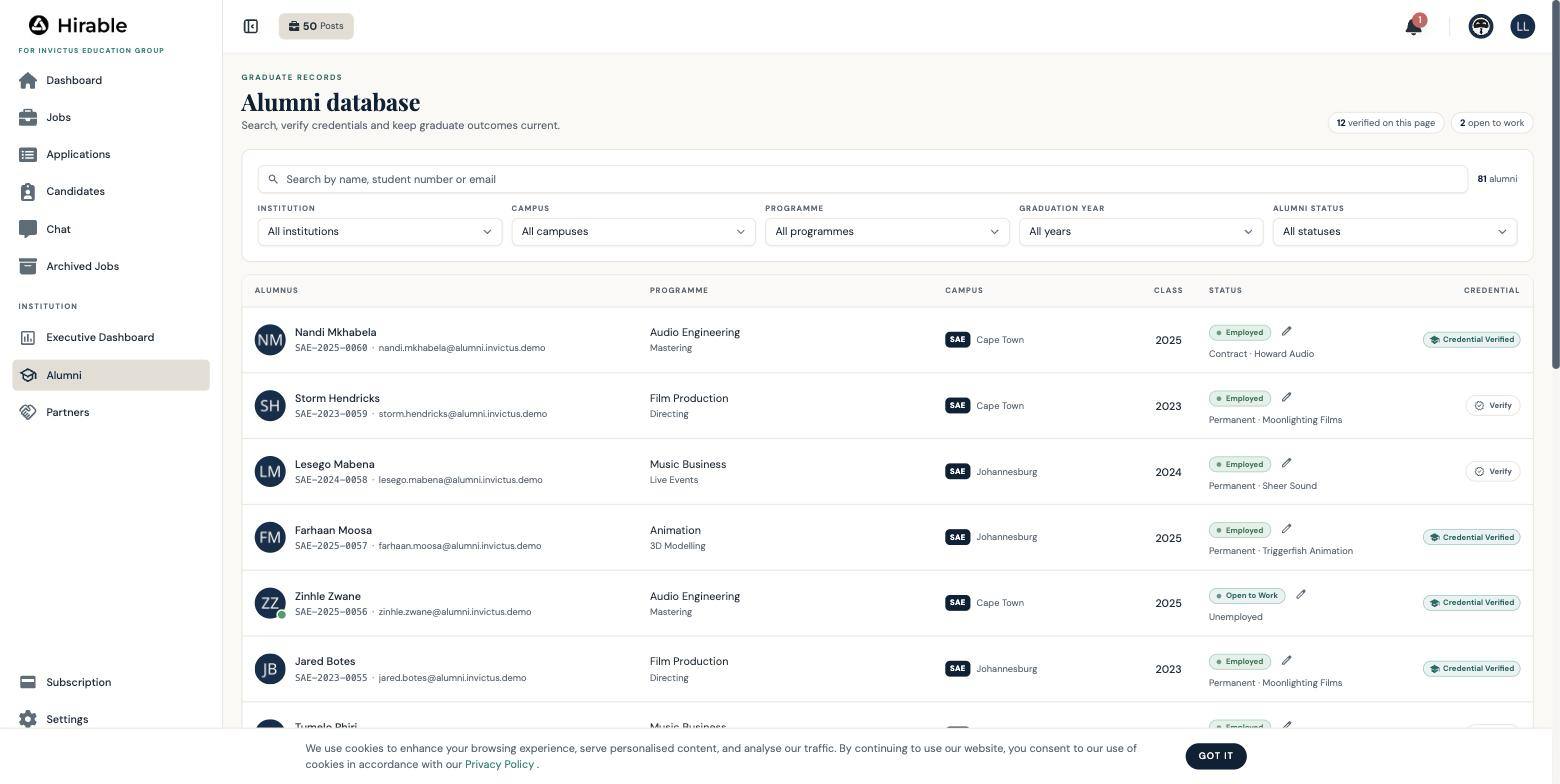
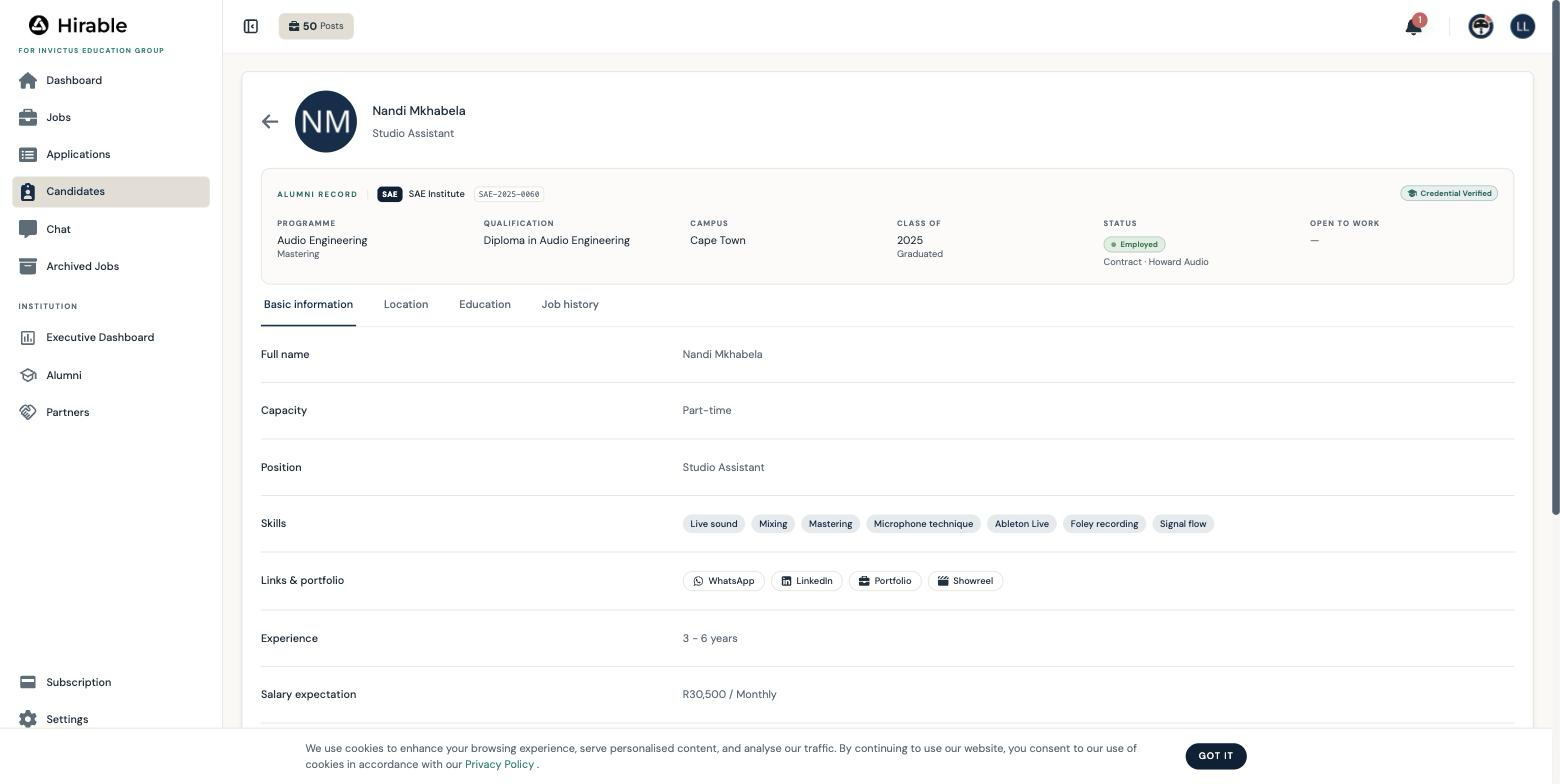
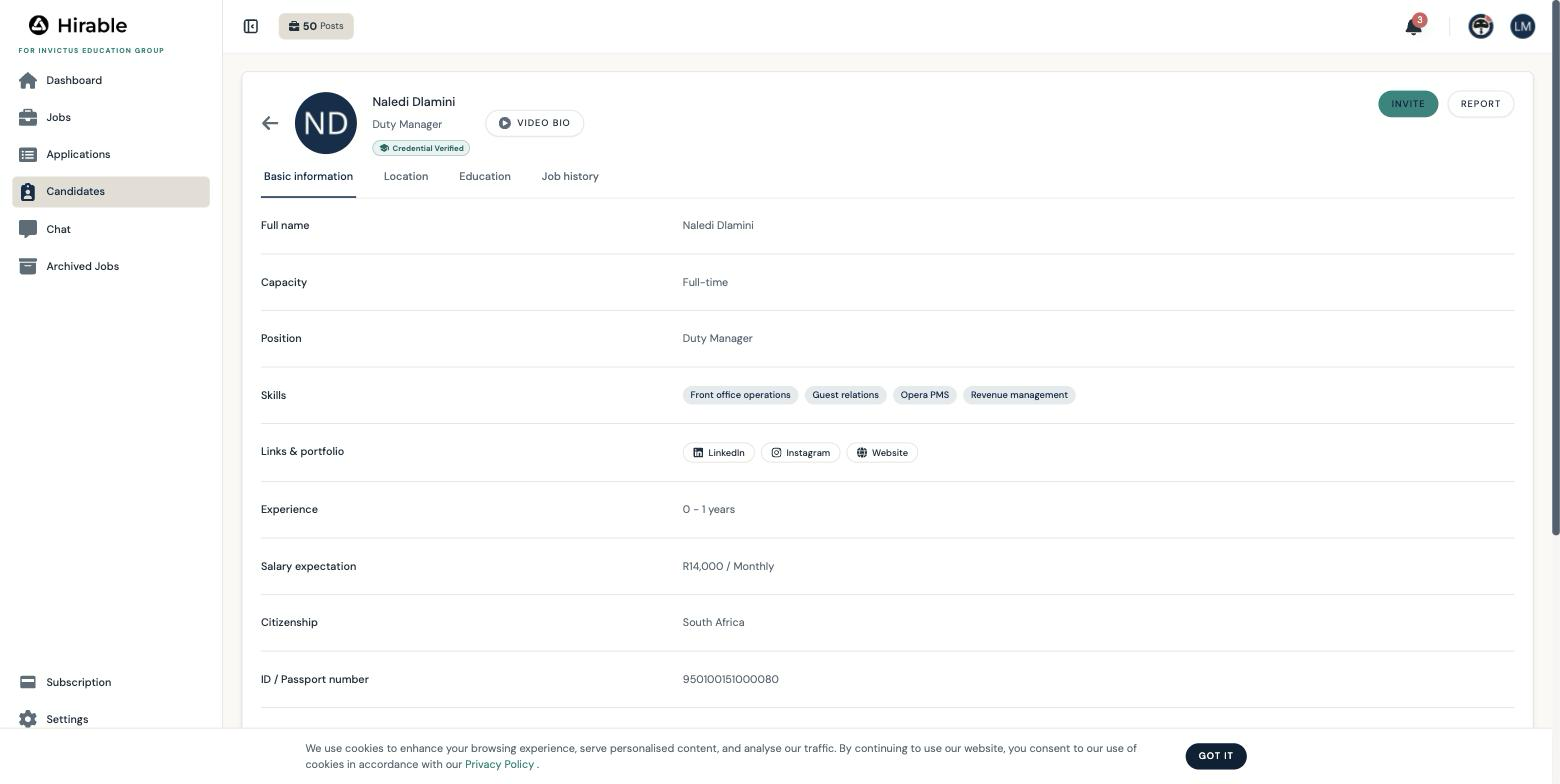
Log in with the employability team account and open Alumni. Click any graduate to open their full record.
Core personal data, preferred names, email, mobile and locationLiveAlumni rows and profiles; preferred names render as, for example, Nomvula "Vula" Mthembu
WhatsApp as a distinct contact channelLiveA dedicated WhatsApp field on every record; the profile shows a WhatsApp button that opens a chat
Student number as the identity keyLiveOn every row and record, searchable
Social and portfolio links: LinkedIn, Instagram, TikTok, website, YouTube, Vimeo, showreelsLiveLinks and portfolio buttons on each profile; SAE graduates carry showreels and portfolios
Academic record: institution, campus, qualification, programme, specialisation, graduation year and statusLiveDatabase columns, filters and the alumni record card on every profile
Employment status, in your taxonomy, including Further StudiesLiveAll eight values from the brief, shown with the employer or programme detail
Open to Work with an availability windowLiveGreen marker on rows, a count on the dashboard, dates on the record
Skills and languages, with proficiency and voice samplesLiveSkills and languages on every profile; language voice samples play in the browser
CV and certificate vaultLiveDocuments on each profile: 59 seeded CVs and certificates
Qualification verified by the institutionLiveThe Credential Verified badge; verify any graduate yourself and watch it change
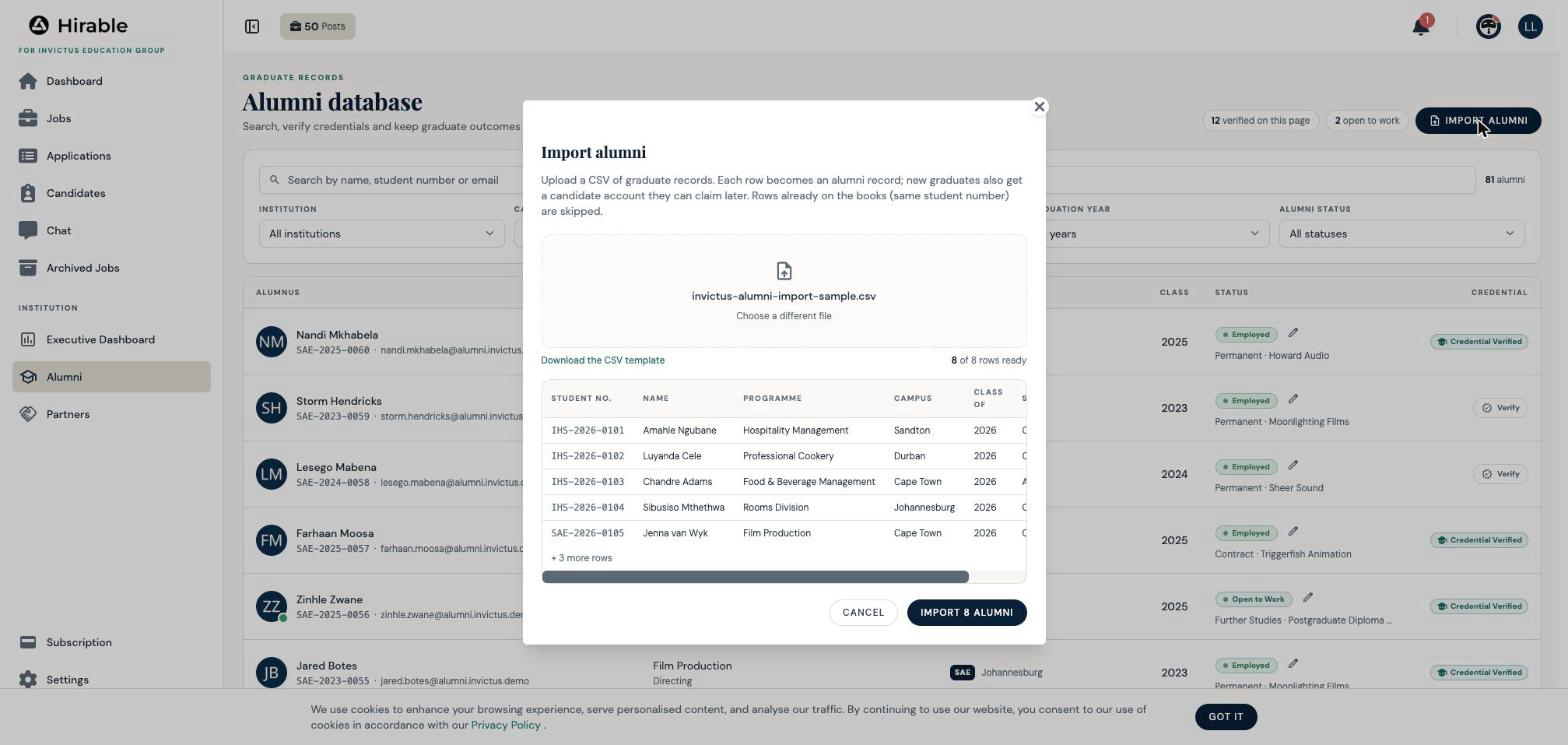
Bulk onboarding of graduate recordsLiveImport alumni: upload a CSV, preview it, and watch a 2026 cohort land in seconds
Alumni status: all eight states from the briefLiveSeeded, filterable and charted on the executive dashboard
Software competencies and certifications as a dedicated taxonomyFirst rolloutCovered today through skills and certificate documents
Computer literacy and personality assessmentsRoadmapPhase two, as set out in the proposal
2. The partner database
Still as the employability team, open Partners.
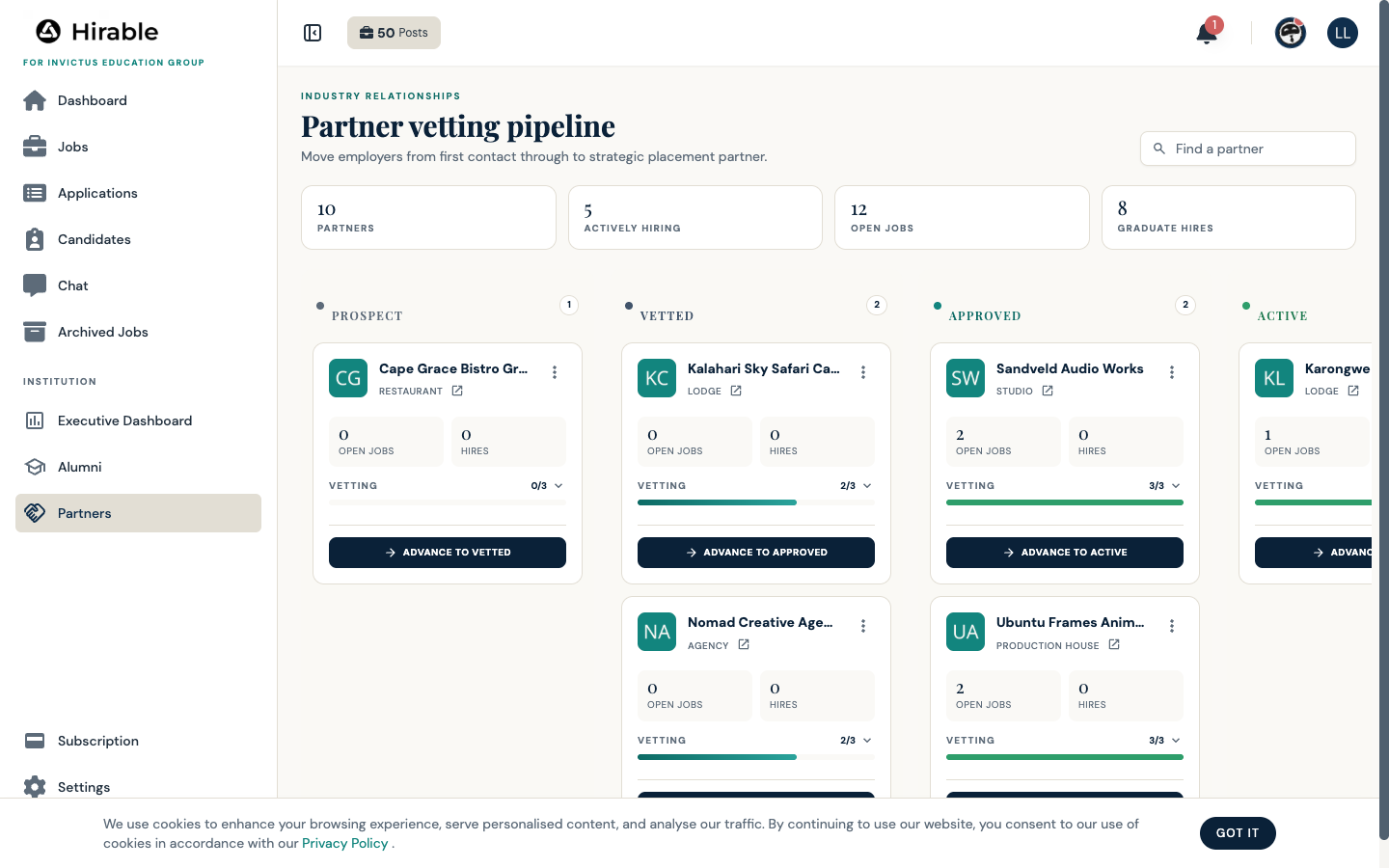
Organisation details: name, sector, website, locationLivePartner cards with logos
Partner types from the brief, including Freelancer NetworkLiveType on each card and the mix on the executive dashboard
Vetting checklist: reputation, employment practices, graduate suitabilityLiveAn editable checklist with progress on every card
Partner lifecycle: Prospect to Vetted to Approved to Active to Hiring to Strategic PartnerLiveThe board itself, with advance actions and the funnel chart
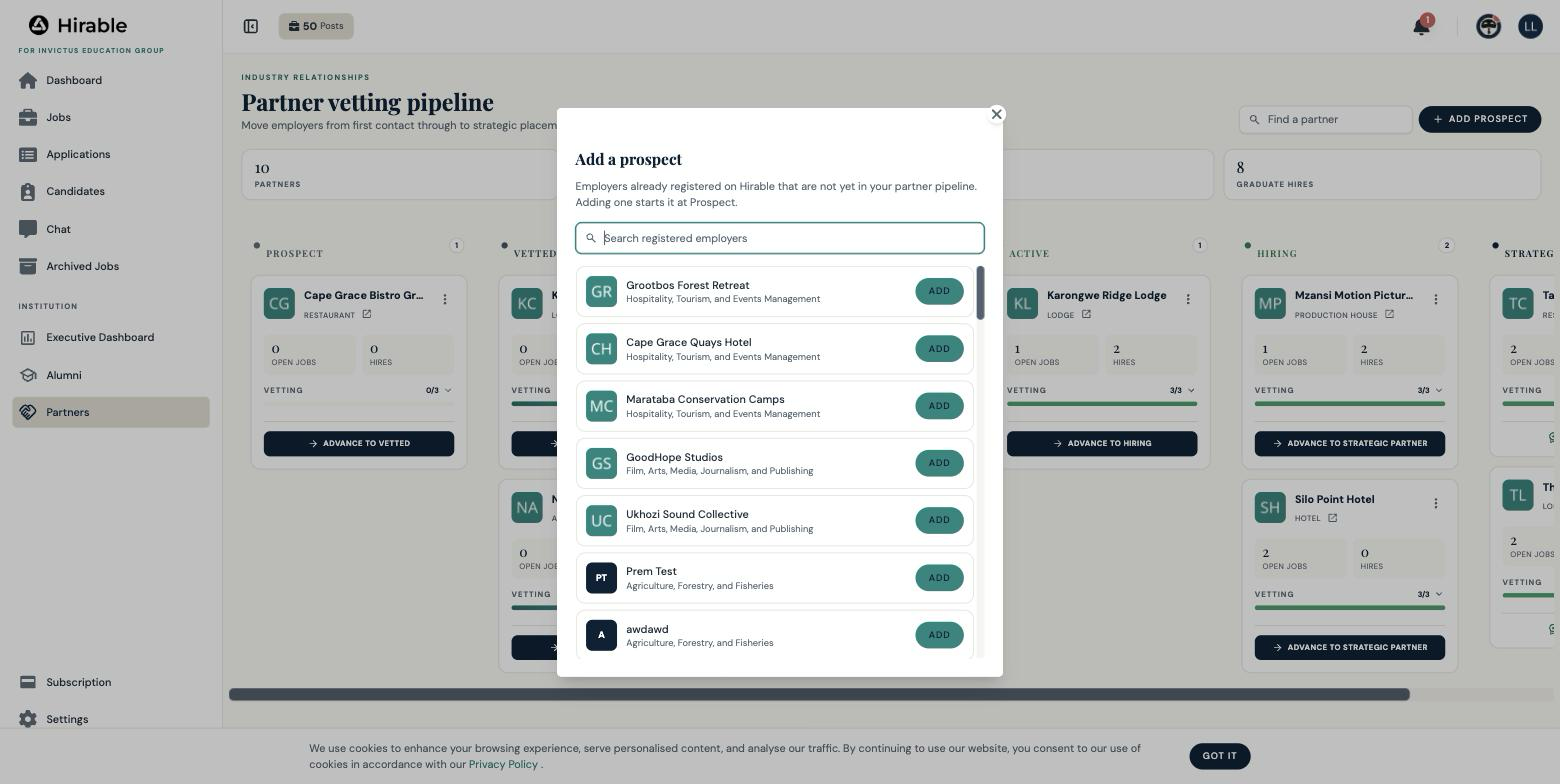
Onboarding a new partnerLiveAdd prospect lists registered employers; adding one starts it at Prospect
A separate recruitment contact per partnerFirst rolloutOwner and team members exist today; the designation is a small addition
Automated joining criteriaRoadmapPhase three, as set out in the proposal
3. The vacancy database
Log in with the industry partner account and open Jobs.
Vacancy details, requirements and statusLiveFifteen seeded vacancies across the partner network
AI-assisted vacancy creationLiveFelix, the platform's AI assistant, drafts the vacancy from a sentence
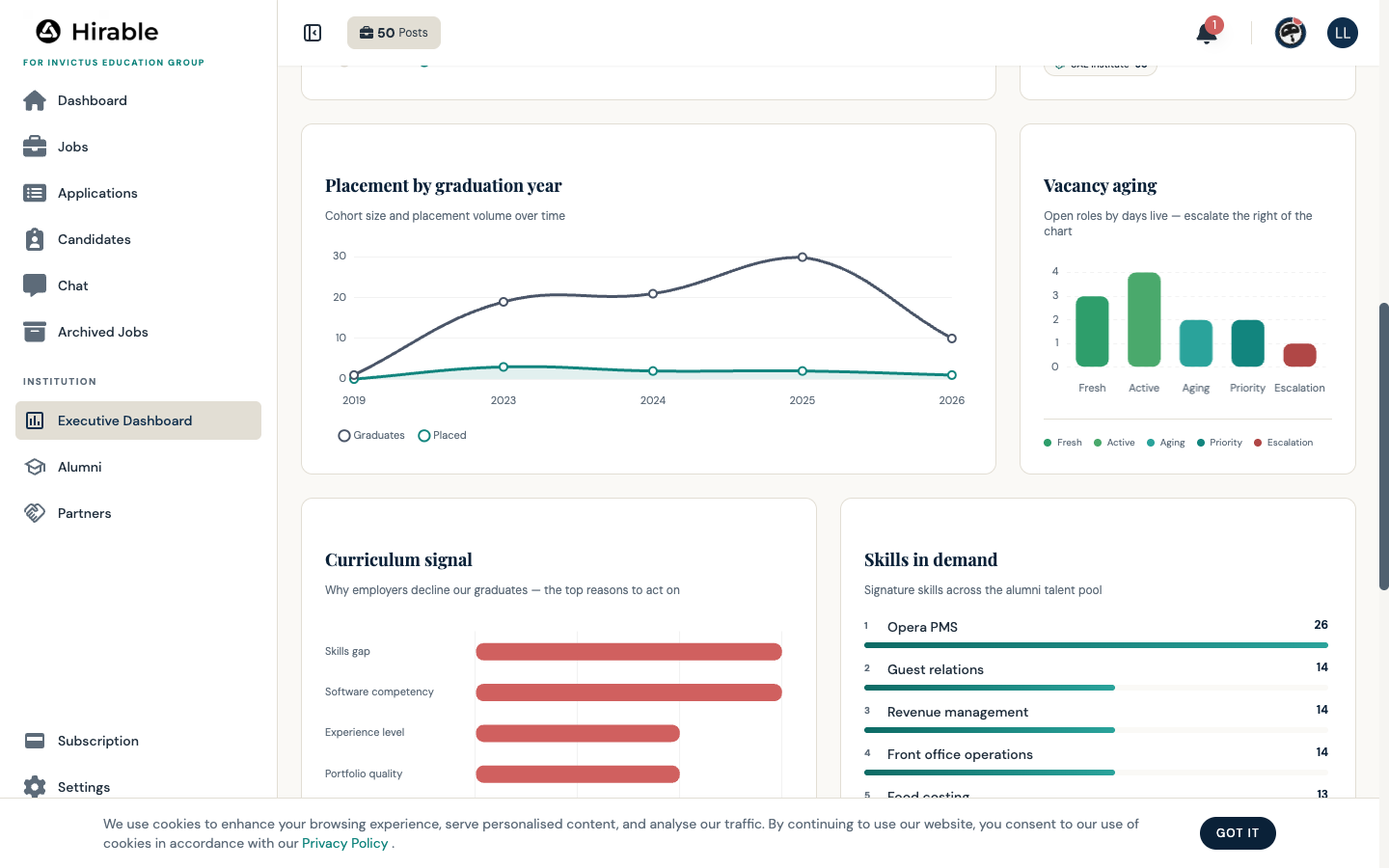
Vacancy aging: Fresh, Active, Aging, Priority, Escalation on your day bandsLiveThe dashboard aging chart uses the brief's exact 14, 30, 60 and 90 day cut-offs, with a genuinely escalated 97 day role
Dead-vacancy feedbackFirst rolloutArchive reasons are captured today; the structured taxonomy lands in the first rollout
4. The application database and the curriculum loop
As the partner, open Applications. This is the centrepiece of the brief, and it runs end to end.
Every application is a record: graduate, vacancy, dateLiveSixty seeded applications across fifteen vacancies
Progress stages: Applied through Interview 1 and 2, Offer Made, Hired, Rejected, WithdrawnLiveAll stages in the status dialog and grouped tabs
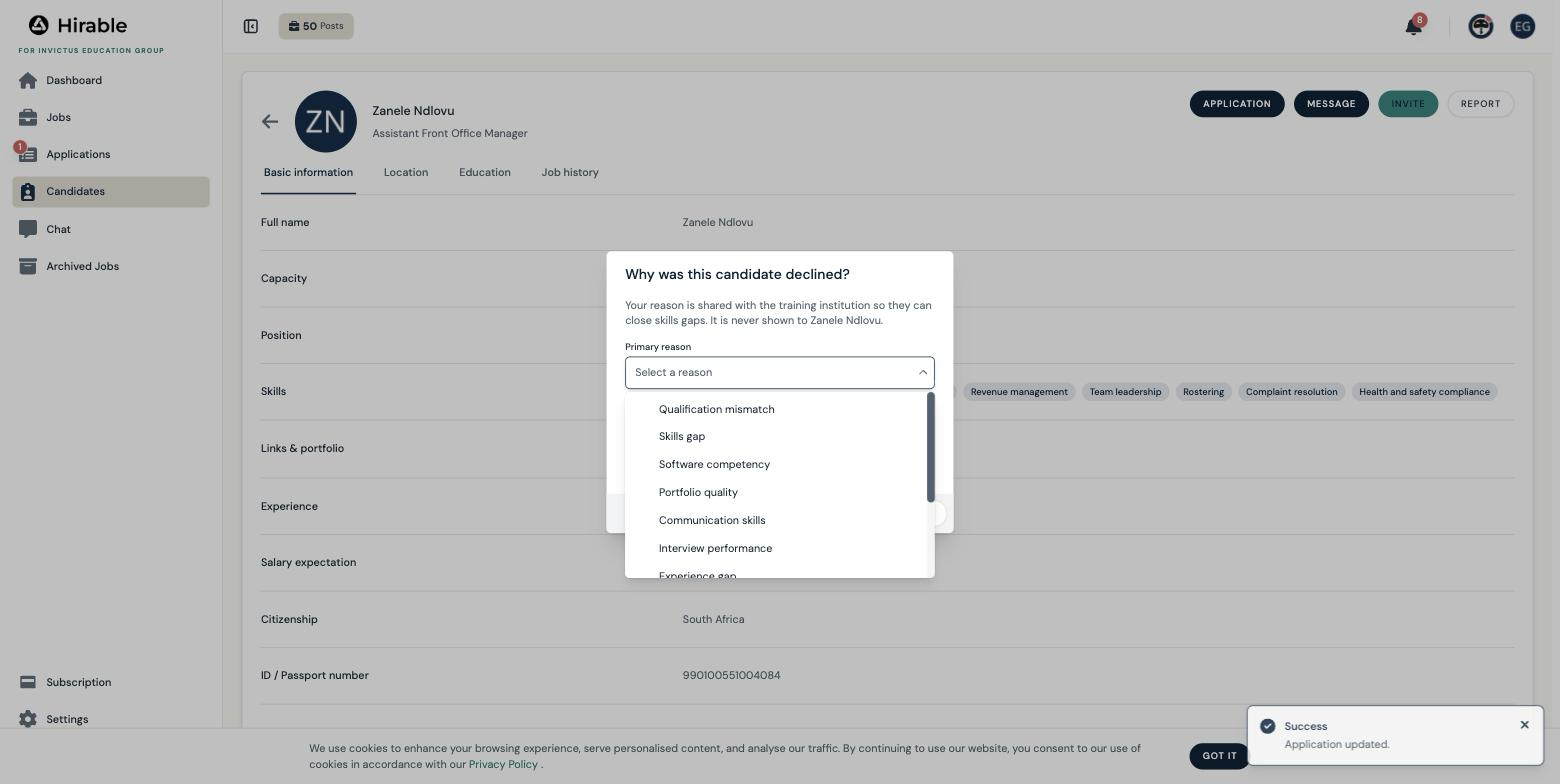
Mandatory employer feedback on every unsuccessful application, in your eleven-reason taxonomyLiveDeclining a candidate opens the feedback dialog with the brief's exact reasons, from Qualification mismatch to Other
Feedback flows to academics for curriculum developmentLiveThe Curriculum Signal chart on the executive dashboard aggregates every reason
5. Lifecycle tracking and engagement
The alumni journey: Graduate, Verified, Open to Work, Applied, Interviewing, PlacedLiveTrace any graduate from the database through the pipeline to Hired
The partner journey: Prospect to Strategic PartnerLiveThe vetting board and the funnel chart
The vacancy journey: Created through FilledLiveStatuses, stages and filled roles feeding time to fill
Alumni and partner engagement records and campaignsFirst rolloutActivity feeds and partner notes today; campaign tooling follows
The executive dashboard
Log in with the executive account and open the Executive Dashboard. Every figure is computed live from the database, and Export report produces a print-ready pack.
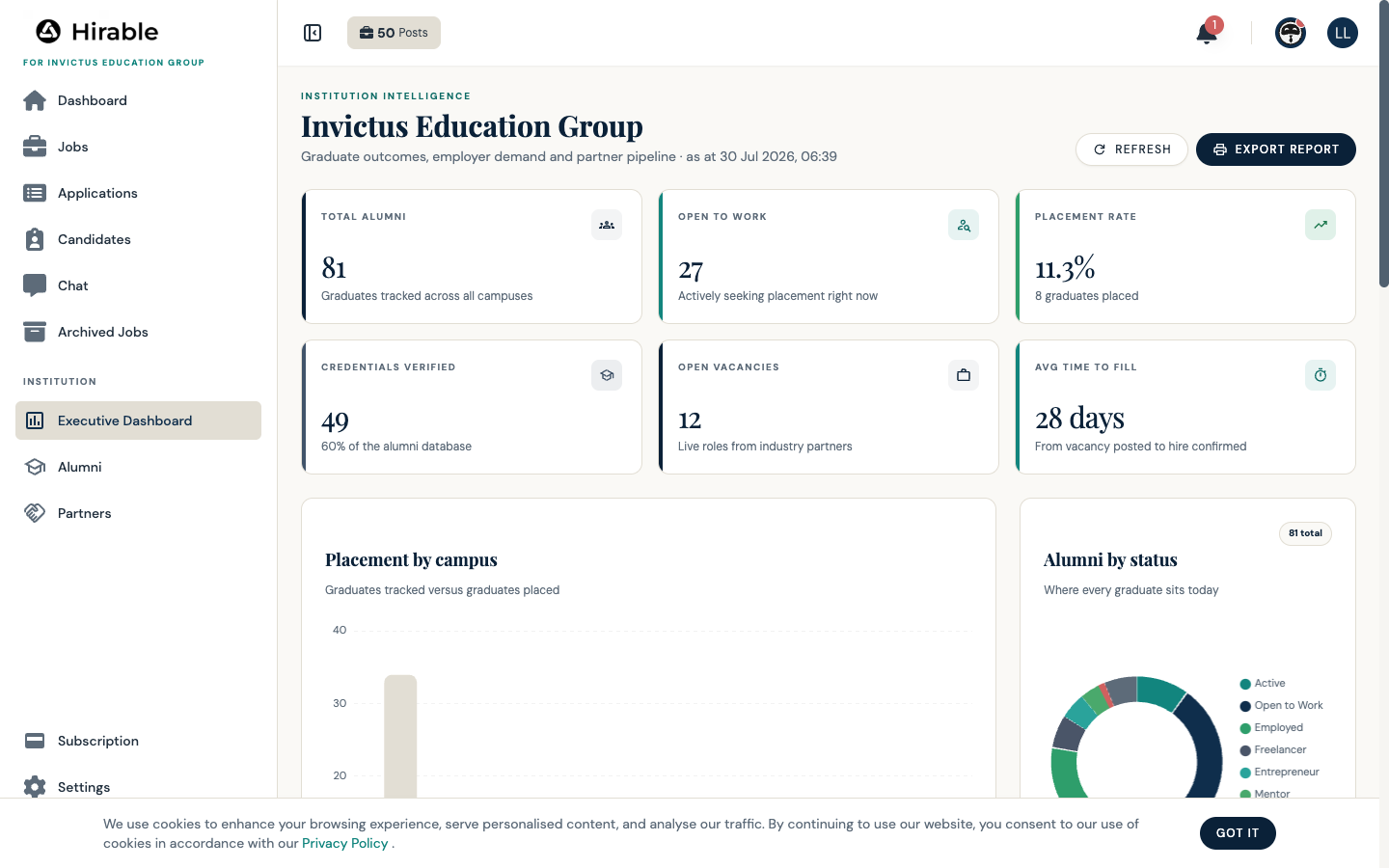
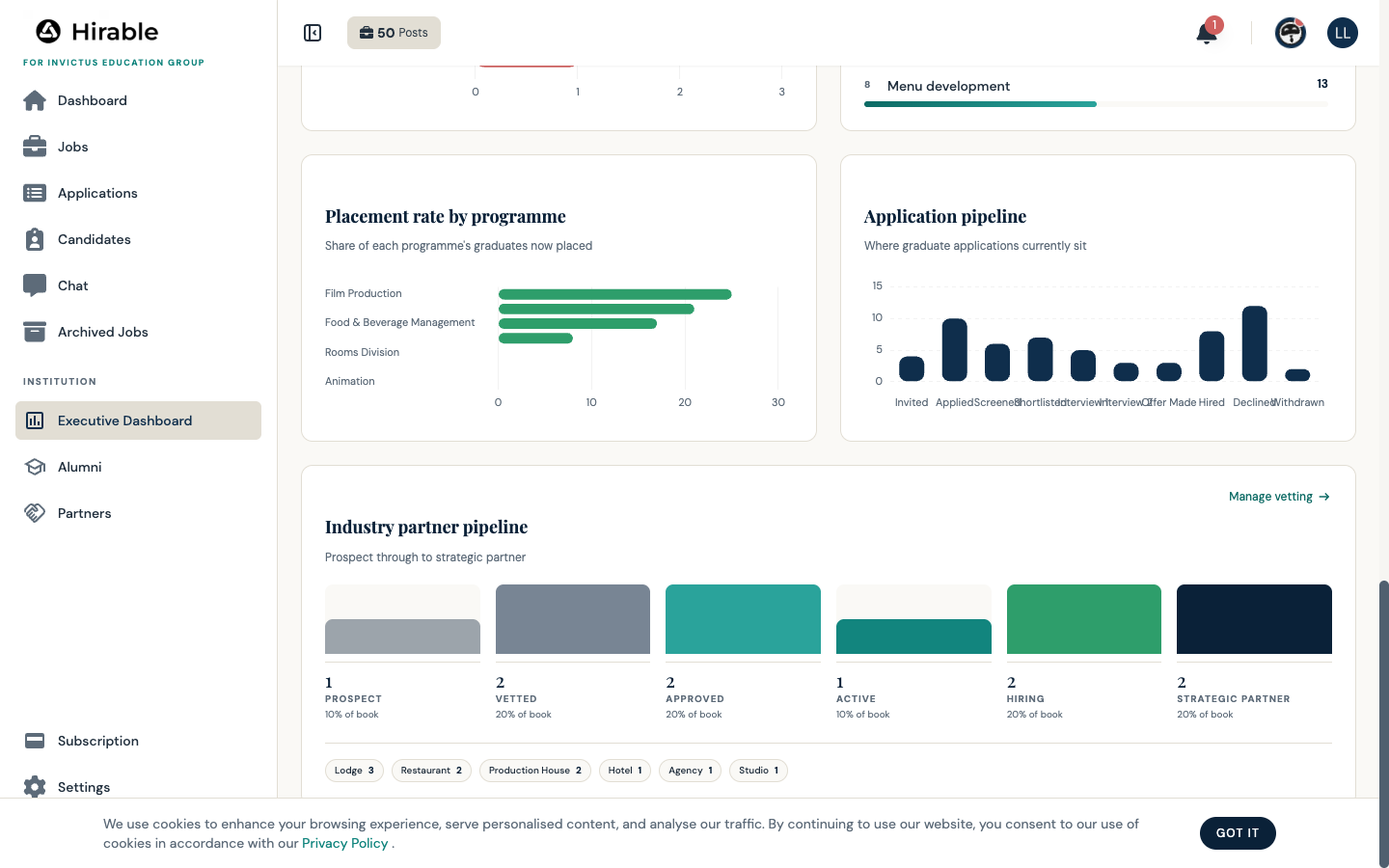
Alumni: totals, Open to Work, placement by campus, programme and yearLiveHeadline cards and three placement charts
Partners: counts, sector mix and the vetting funnelLiveThe funnel and type mix
Recruitment: vacancies by stage and age, time to fill, applications and hiresLiveThe aging chart, pipeline chart and time-to-fill figure
Intelligence: outcomes, skills gaps, demand and curriculum recommendationsLiveCurriculum Signal and Skills in Demand, with exportable reporting
Beyond the brief
Capabilities the scope did not ask for, because they only exist on a platform that is already live.
Video bios with AI grading and structured feedbackLiveGraduate profiles carry a video bio with a transcript, a grade and coaching notes
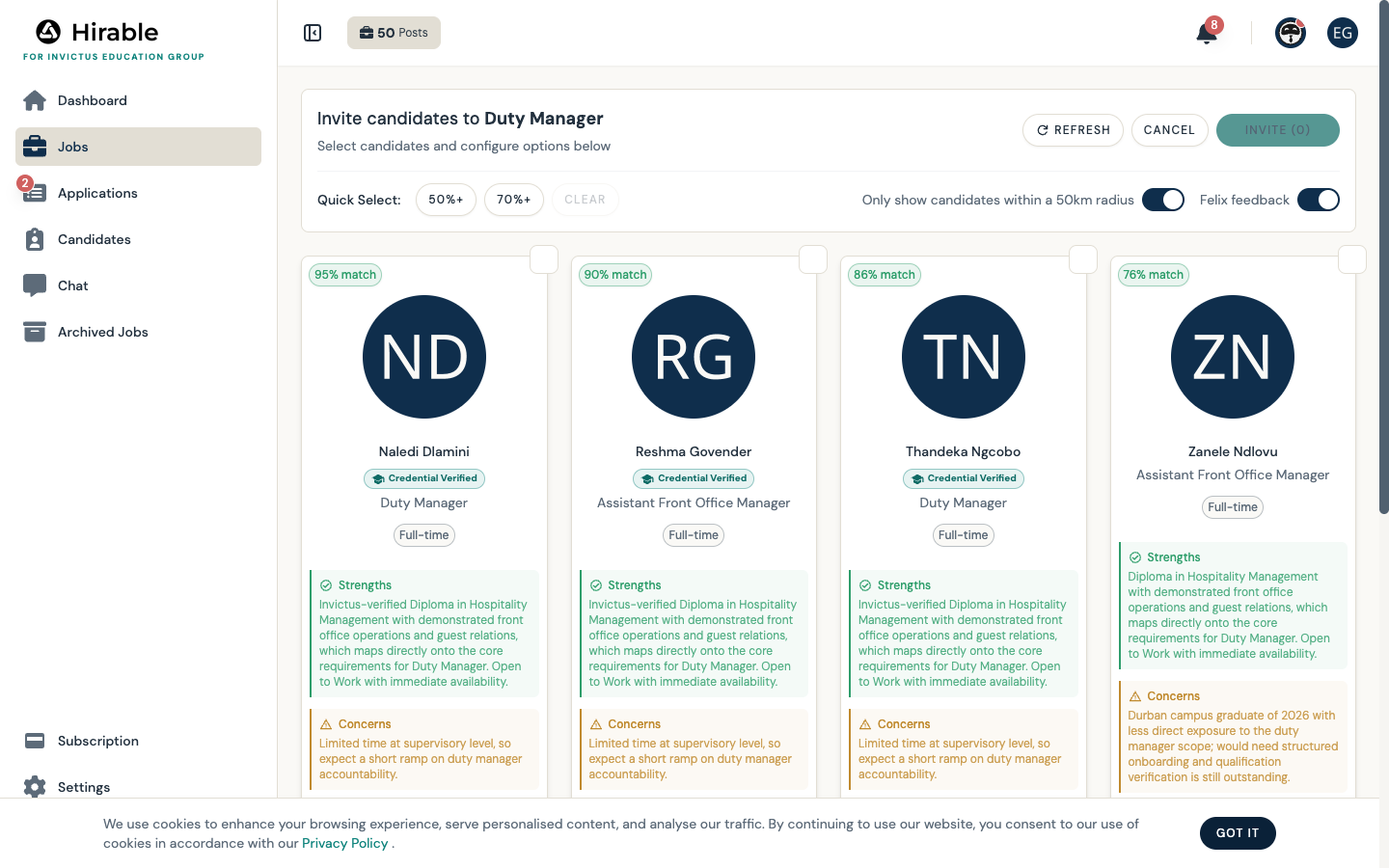
AI matching with named strengths and concerns per graduateLiveThe shortlist on any vacancy
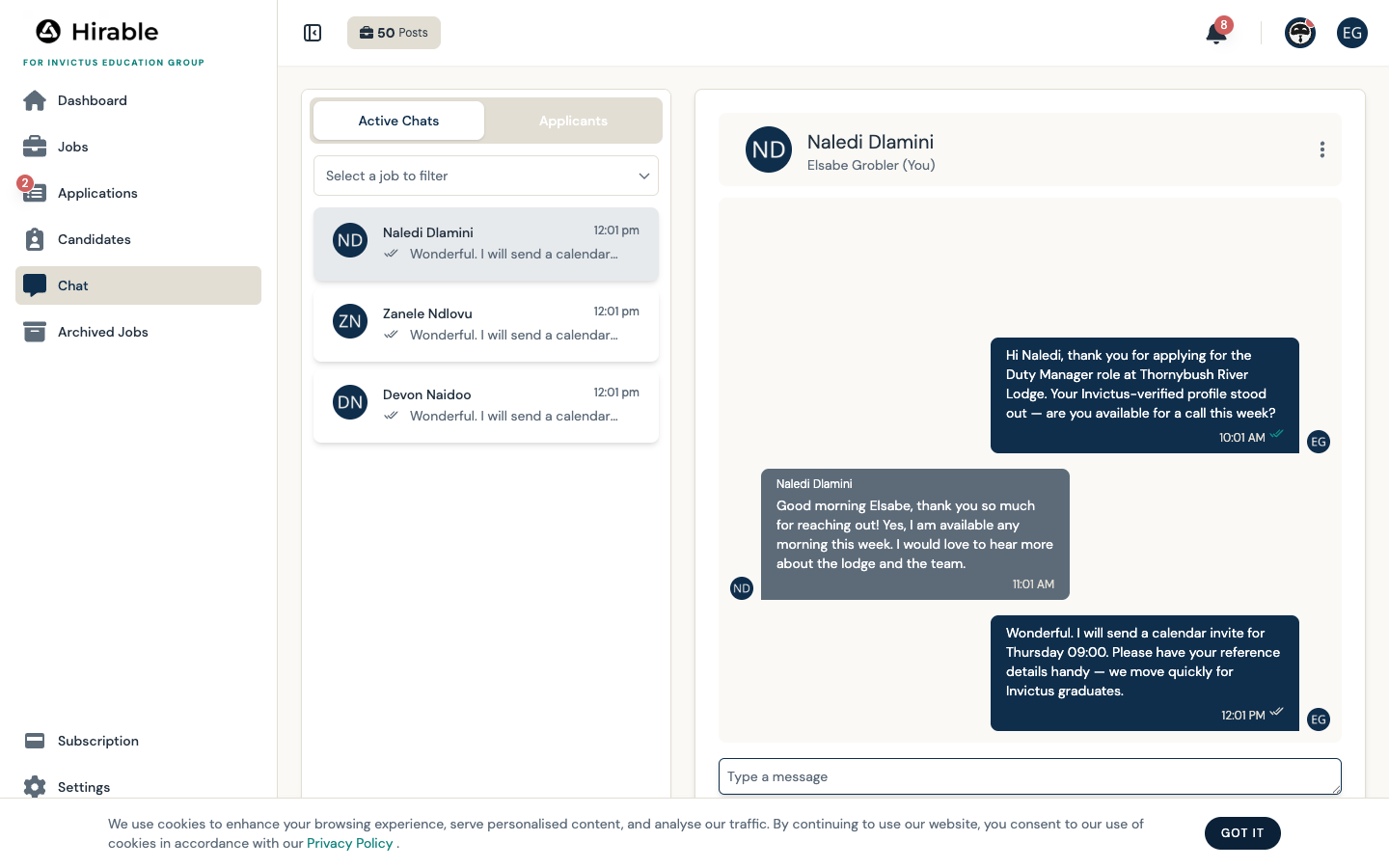
Direct messaging between partners and applicantsLiveChat, with three live conversations seeded
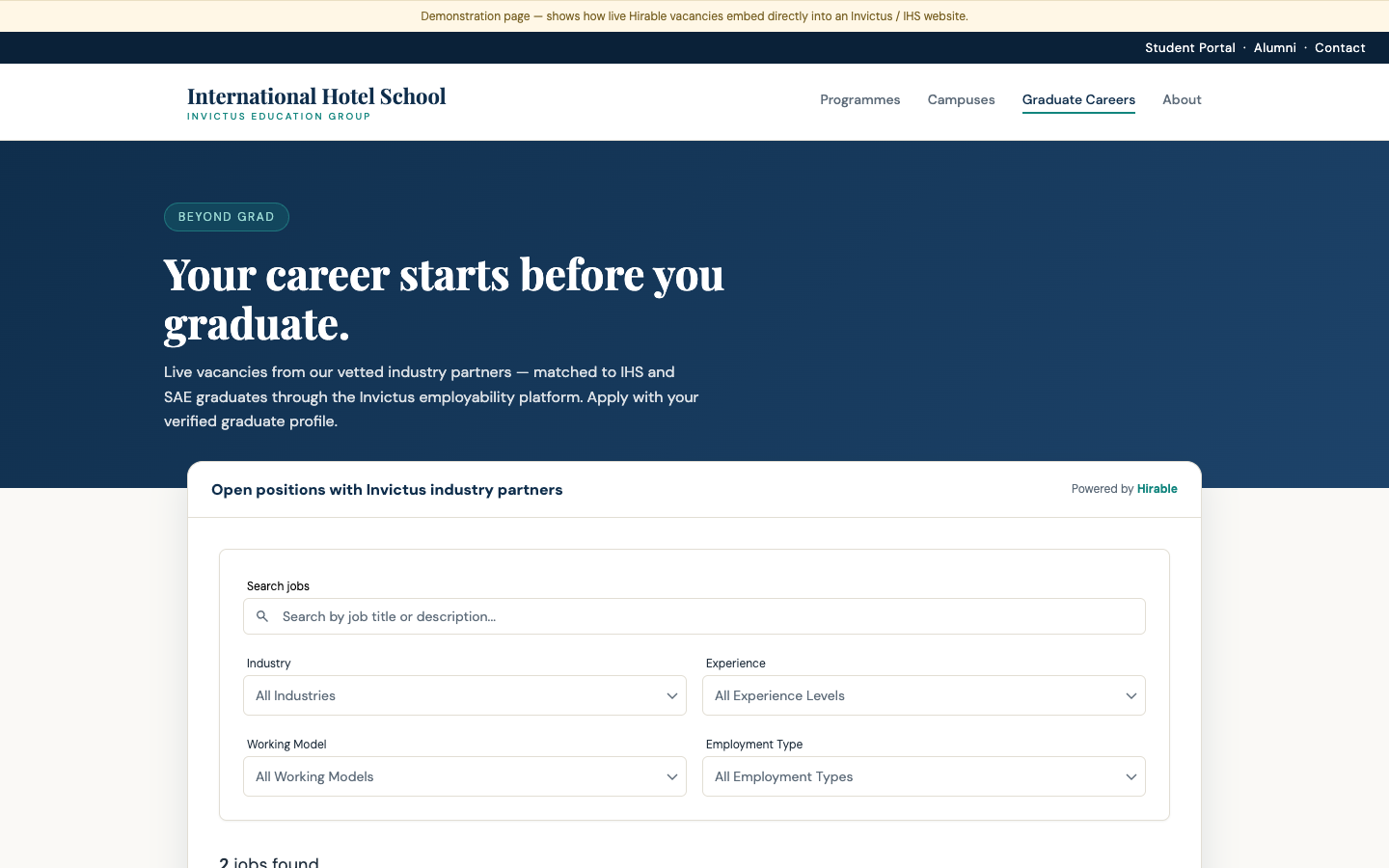
Embeddable careers widgets for your websitesLiveThe mock IHS careers page with live vacancies
Native mobile appsLiveOn the App Store and Google Play across the platform